Editorial Team – Mahindra Electric Origin SUVs, Read time ~4 minutes
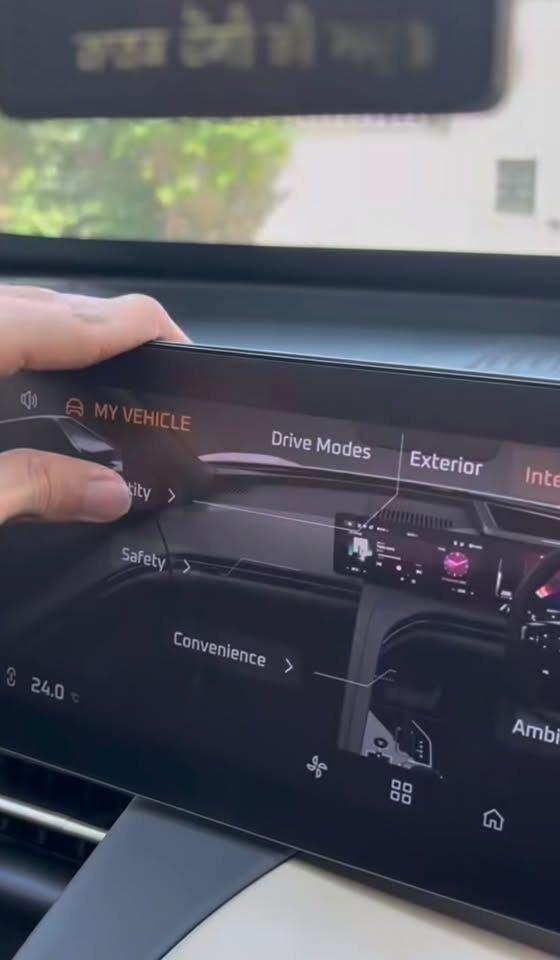
Instagram user @automobile_infos16 in this video shows how to disable the interior camera’s driver and occupant monitoring features through the infotainment settings.
What is the Interior Camera?
Designed for the future, the XEV 9e, XEV 9S and the BE 6 deliver a feature-packed electric driving experience with intelligent technology and bold design.
The interior camera supports features like Driver Monitoring and Occupant Monitoring to enhance safety and awareness. If you prefer more privacy, you can disable these monitoring systems from the settings.
Step-by-Step: How to Turn Off the Interior Camera
Step 1: Open My Vehicle on the infotainment screen.
Step 2: Tap on Interior.
Step 3: Select Identity.
Step 4: Locate Driver Monitoring System and Occupant Monitoring System.
Step 5: Toggle both options Off.
Step 6: Exit the menu — monitoring features are now disabled.
When should you use it?
- If you prefer more cabin privacy
- When monitoring features are not required
- If you want fewer system interventions
- For a more minimal in-cabin experience
Frequently Asked Questions (FAQs)
Q1: Does turning this off disable the camera completely?
It disables monitoring features, but the hardware remains part of the system.
Q2: Can I turn it back on later?
Yes, you can re-enable both monitoring systems anytime.
Q3: Will this affect safety features?
Some driver monitoring alerts may be limited when turned off.
Q4: Is it safe to keep it turned off?
Yes, but keeping it on provides additional safety assistance.
Disclaimers:
Updates as of June 2026, features are subject to change without prior notice.
Feature available in select variants, subject to the latest software update being installed in your vehicle/Me4U app.
This content is published as part of Mahindra Electric SUV’s informational and educational initiatives and may include opinions, interpretations, and forward-looking perspectives based on publicly available sources. It should not be construed as news reporting, professional advice, or an official company position unless explicitly stated.
Mahindra and its affiliates disclaim any liability arising from reliance on this content, and readers are advised to conduct their own due diligence.
Need Help or Support?
For any further assistance or detailed guidance, please reach out through official Mahindra Electric Origin SUVs support channels:
Email: customercare@mahindra.com
Phone: 1800 209 6006
Tags
Mahindra eSUVs, Mahindra eSUVs features, Smart features, Software features, EVs in India, eSUVs India, Privacy Features, Driver Monitoring, Connected Features
News and Press Releases
10 February 2026
Mahindra Scales Up Aftersales Service...
Mahindra Scales Up Aftersales Service Operations in Delhi NCR

14 January 2026
Mahindra XEV 9S and XUV 7XO record 93,689 Bookings
Booking Value of over ₹ 20,500 crore (*at ex-showroom price)

04 July 2025
Mahindra to Commence Deliveries of BE 6 and XEV 9e Pack Two from End-July
Now with both 59 kWh and 79 kWh battery options

9 Apr 2025
Mahindra Delivers 3000 All-Electric Origin SUVs Across India
Overwhelming response for both XEV 9e and BE 6
14 Feb 2025
Mahindra Electric Origin SUVs create new record in the EV category securing 30 179 bookings on day 1
Registered a booking value of ₹ 8472 crores (at ex-showroom price)

5 Feb 2025
Mahindra eSUVs to open bookings from 14th Feb, 2025
9 variants of the XEV 9e & BE 6 to be available for booking

14 Jan 2025
BE 6 makes its gaming debut in BGMI
KRAFTON X Mahindra redefine virtual engagement for gamers

7 Jan 2025
Prices for XEV 9e & BE 6 top variants announced
Test drives to begin from 14th January in select cities
7 Dec 2024
Mahindra to contest brand rights of BE 6e in court
Meanwhile, to name its Electric Origin SUV “BE 6”

29 Nov 2024
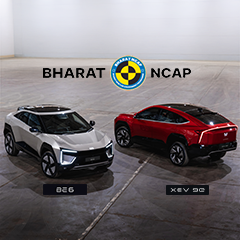
Unprecedented Safety of Mahindra eSUVs Demonstrated
Showcased: Live EV Crash and Battery Torture Tests

29 Nov 2024
Sonic Studio Experience by Mahindra
Immersive in-cabin audio experience in BE 6e & XEV 9e

26 Nov 2024
Mahindra's Electric Origin SUVs launched at Unlimit India
XEV 9e starts at Rs. 21.90 Lakh and BE 6e at Rs. 18.90 Lakh

22 Nov 2024
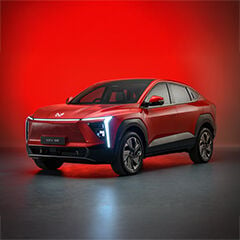
Mahindra Teases Sketches of BE 6e & XEV 9e
World Premiere at UNLIMIT INDIA, on 26th November in Chennai

21 Nov 2024
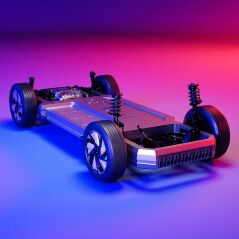
INGLO: Mahindra’s Electric Origin Architecture
XEV 9e & BE 6e World Premiere on 26th November in Chennai
04 Nov 2024
Mahindra debuts Electric Origin SUVs Named XEV 9e and BE 6e
World Premiere at UNLIMIT INDIA, on 26th November in Chennai

8 Jan 2025
New state-of-the-art EV manufacturing facility unveiled in Chakan
Next-gen EV plant to be dedicated for EV manufacturing & battery assembly